# Privacy request widget status glossary

{% hint style="success" %}
**Access Type**: Privacy request widgets - Editor or Viewer

**Premium Feature**: DSAR
{% endhint %}

Privacy request widgets configured by your organization can fall into two distinct statuses:

<table data-header-hidden><thead><tr><th width="169.5833740234375">Status</th><th>Description</th></tr></thead><tbody><tr><td><a href="#active-widgets">Active widgets</a></td><td>Privacy request widgets that are currently published or have yet to be published.</td></tr><tr><td><a href="#archived-widgets">Archived widgets</a></td><td>Privacy request widgets that were formerly published but have since been archived and no longer appear on websites where the widget was embedded.</td></tr></tbody></table>

### Active widgets

Active privacy request widgets are widgets that are published or in the process of editing by your organization and are divided into the following publication statuses.&#x20;

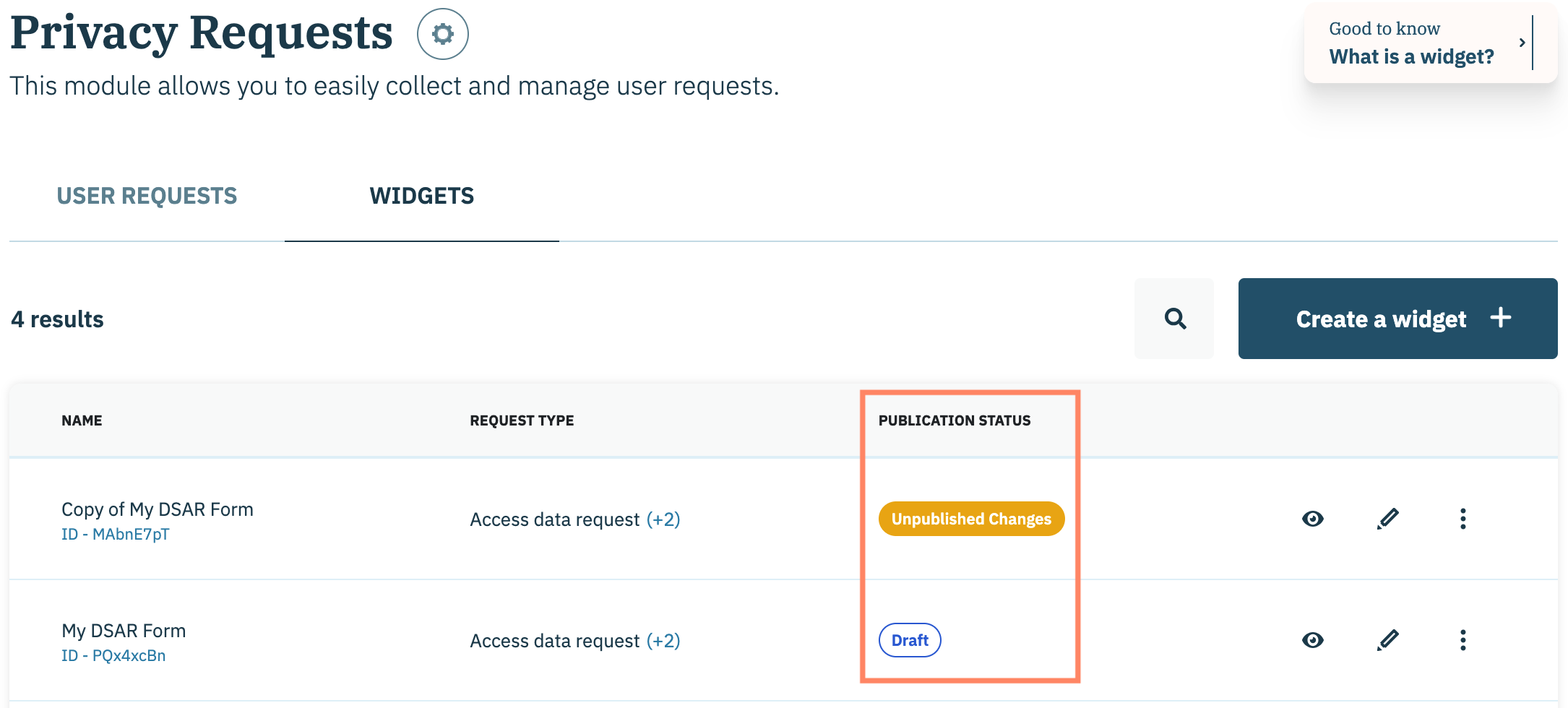
<table><thead><tr><th width="176">Publication status</th><th>Description</th></tr></thead><tbody><tr><td>Draft</td><td>The privacy request widget has never been published and is still being edited.</td></tr><tr><td>Published</td><td>The privacy request widget is published and may be embedded onto a website</td></tr><tr><td>Unpublished Changes</td><td>The privacy request widget is published and has edits saved that have not been published yet. These changes are not yet available on websites where the widget it embedded.</td></tr></tbody></table>

View all active privacy request widgets in you Didomi account by navigating to the Privacy requests widgets page.

<figure><img src="/files/07EqEriNWyEauQe238Ub" alt="" width="563"><figcaption></figcaption></figure>

### Archived widgets

Archived privacy request widgets are formerly published widgets that have since been deprecated and are no longer accessible from the websites on which they were embedded.

{% hint style="info" %}
Viewing archived privacy requests widgets are not available in the Didomi console and only retrievable via API. [Click here](https://developers.didomi.io/api-and-platform/widgets/privacy-widgets/retrieve-widgets) to learn more.&#x20;
{% endhint %}


---

# Agent Instructions: Querying This Documentation

If you need additional information that is not directly available in this page, you can query the documentation dynamically by asking a question.

Perform an HTTP GET request on the current page URL with the `ask` query parameter:

```
GET https://docs.didomi.io/privacy-requests/privacy-request-widgets/privacy-request-widget-status-glossary.md?ask=<question>
```

The question should be specific, self-contained, and written in natural language.
The response will contain a direct answer to the question and relevant excerpts and sources from the documentation.

Use this mechanism when the answer is not explicitly present in the current page, you need clarification or additional context, or you want to retrieve related documentation sections.
