
# Edit privacy request widget

{% hint style="success" %}
**Access Type:** Privacy request widgets - Editor

**Premium Feature**: DSAR
{% endhint %}

A privacy request widget is an end-user facing form that allows an end-user to submit a Data Subject Access Request (DSAR). In this article, we will cover how to manage the privacy request widget configuration flow to edit an existing privacy request widget.

* [Save privacy request widget edits](#save-privacy-request-widget-edits)
* [Privacy request widget name](#privacy-request-widget-name)
* [Manage privacy request widget translations](#manage-privacy-request-widget-translations)
* [Publish privacy request widget](#publish-privacy-request-widget)

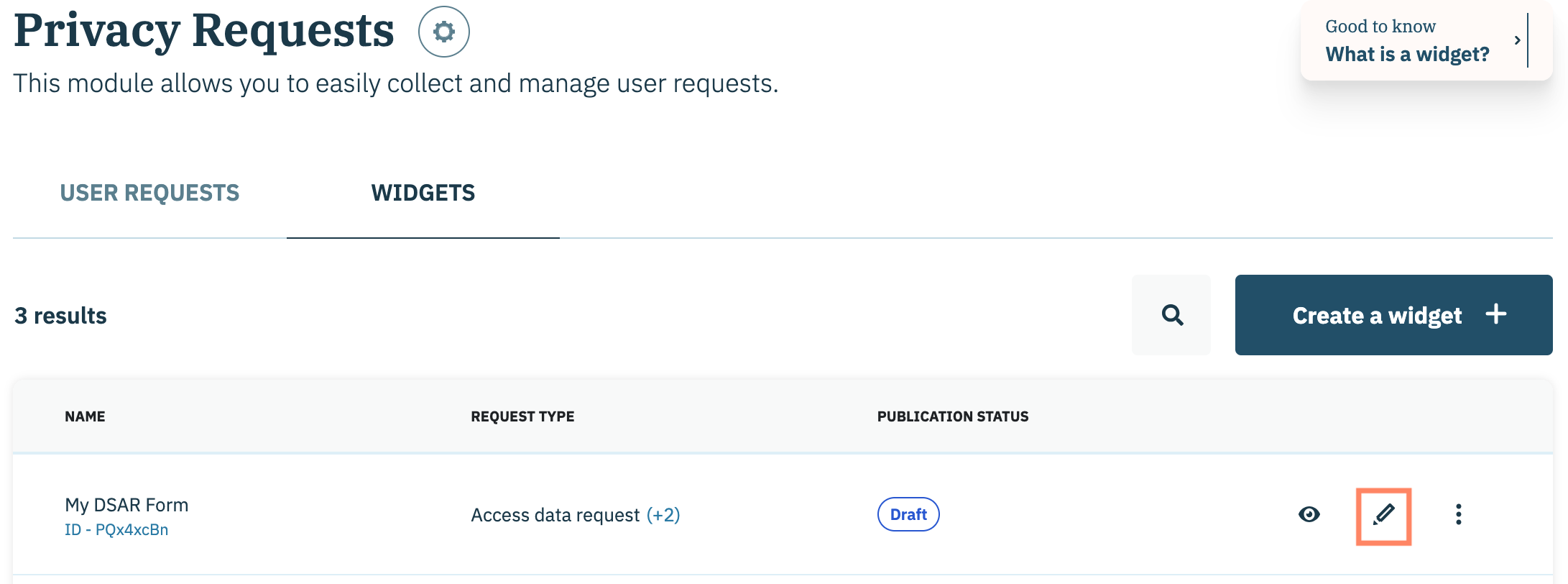
To start, click **Privacy Requests** on the left-hand panel and select the **Widgets** tab on the subsequent page.&#x20;

<figure><img src="/files/E84XNIFUPJ2F0UhQbQc6" alt="" width="563"><figcaption></figcaption></figure>

Navigate to a privacy request widget on the subsequent list and click the **Edit** icon inline with the privacy request widget name.&#x20;

<figure><img src="/files/Yqpo8kBaqHOwQNyW027Z" alt="" width="563"><figcaption></figcaption></figure>

***

### Save privacy request widget edits

Edit the various components of the privacy request widget using the tabs of the widget configuration flow. Save your progress at any point by clicking the **Save** icon in the upper right-hand corner.&#x20;

<figure><img src="/files/wPx73Aq9txcferUzAu6i" alt="" width="563"><figcaption></figcaption></figure>

Review the table below for information on how saving your privacy request widget edits impacts the [publication status](/privacy-requests/privacy-request-widgets/privacy-request-widget-status-glossary.md) of the widget:

<table><thead><tr><th width="219.083251953125">Original Publication Status</th><th></th></tr></thead><tbody><tr><td>Draft</td><td>Saved edits will have no impact on the publication status of the privacy request widget and the status will remain <strong>Draft</strong>.</td></tr><tr><td>Published</td><td>Saved edits to a published privacy request widget will change the publication status to <strong>Unpublished Changes</strong>. The privacy request widget will need to be re-published for the changes to appear on websites where the widget was embedded.</td></tr></tbody></table>

### Privacy request widget name

Edit the privacy request widget name by clicking the **Edit** icon inline with privacy request widget name. Use the provided field to edit the name.

<figure><img src="/files/67iaxMpjdA7v13JzCpOq" alt="" width="563"><figcaption></figcaption></figure>

### Manage privacy request widget translations

Didomi provides translations for all of the copy available in the privacy request widget (this includes all headers, buttons, and body text for the privacy right selection screen and the email verification screen.&#x20;

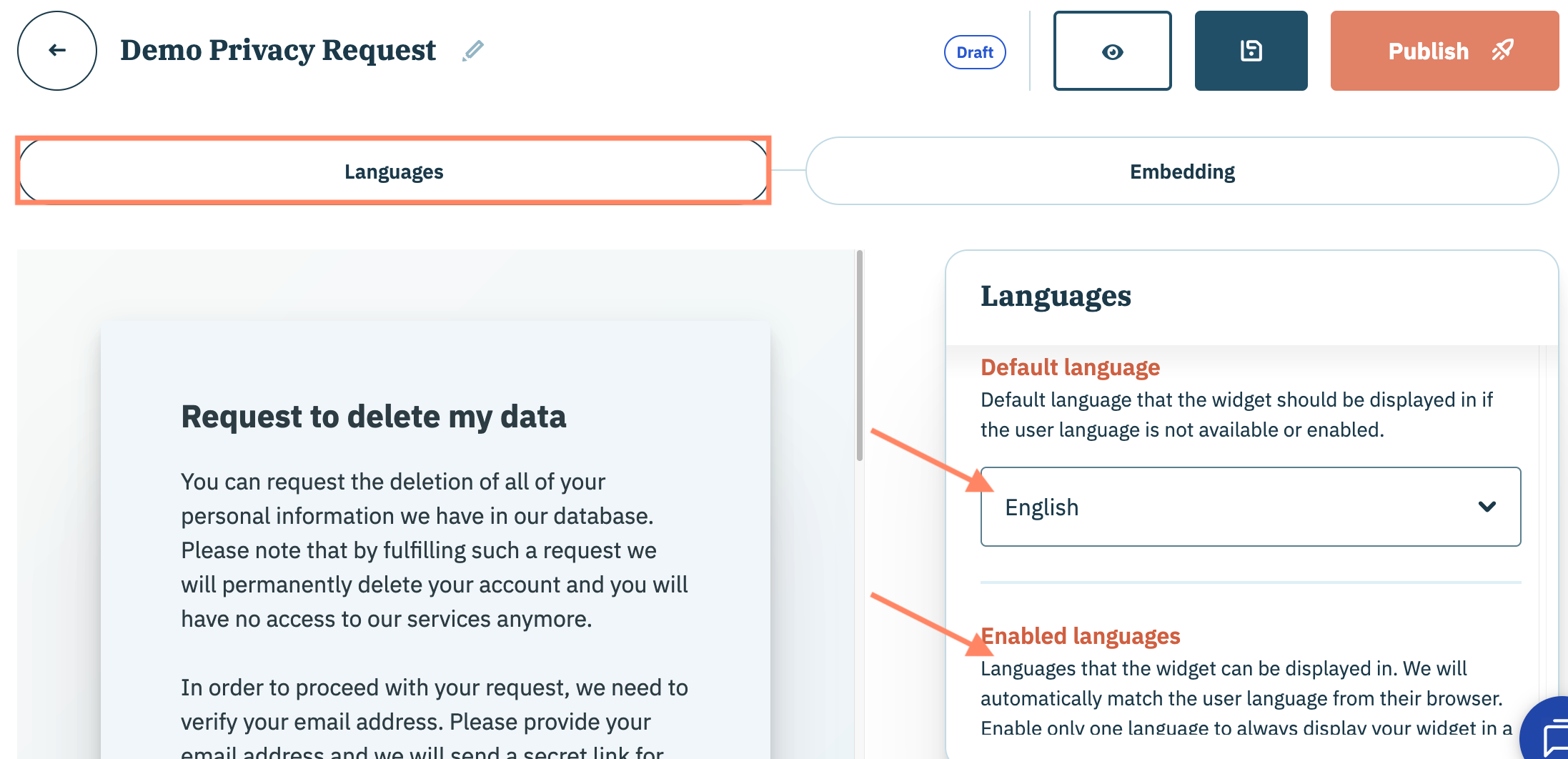
Click the **Languages** tab and use the provided drop-down menus in the right-hand panel to select:

<table data-header-hidden><thead><tr><th width="198.916748046875"></th><th></th></tr></thead><tbody><tr><td>Default language</td><td>Language the privacy request widget should use if the end-user's language is not supported by the widget.</td></tr><tr><td>Enabled languages</td><td>Languages the privacy request widget will be translated into to match the end-user's browser language.</td></tr></tbody></table>

<figure><img src="/files/TYxCMg5Mfh17UQDrGqZf" alt="" width="563"><figcaption></figcaption></figure>

### Publish privacy request widget

Click **Published** when satisfied with the edits performed to the privacy request widget and ready to embed the widget to a website.

<figure><img src="/files/0cR2wu6hNDiQJ8VsAKQG" alt="" width="563"><figcaption></figcaption></figure>

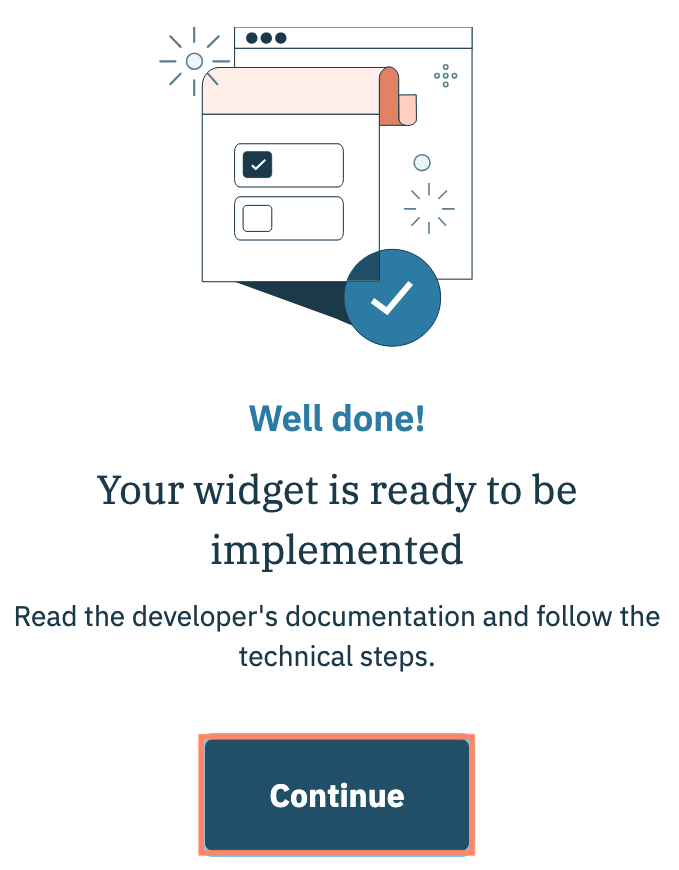
A subsequent modal will confirm when the privacy request widget has been published. Click **Continue**.

<figure><img src="/files/hpbkCt2YXX2l1SCLFZWW" alt="" width="340"><figcaption></figcaption></figure>

You will be redirected to the **Embedding** tab of the privacy request widget configuration flow. [Click here](/privacy-requests/privacy-request-widgets/embed-privacy-request-widget.md) for detailed instructions on how to embed the necessary code on your website.


---

# Agent Instructions: Querying This Documentation

If you need additional information that is not directly available in this page, you can query the documentation dynamically by asking a question.

Perform an HTTP GET request on the current page URL with the `ask` query parameter:

```
GET https://docs.didomi.io/privacy-requests/privacy-request-widgets/edit-privacy-request-widget.md?ask=<question>
```

The question should be specific, self-contained, and written in natural language.
The response will contain a direct answer to the question and relevant excerpts and sources from the documentation.

Use this mechanism when the answer is not explicitly present in the current page, you need clarification or additional context, or you want to retrieve related documentation sections.