> For the complete documentation index, see [llms.txt](https://docs.didomi.io/llms.txt). Markdown versions of documentation pages are available by appending `.md` to page URLs; this page is available as [Markdown](https://docs.didomi.io/preference-management-platform-pmp/introduction/pmp-implementation-overview-web.md).
# PMP implementation overview (web)
The Didomi Preference Management Platform (PMP) enables your organization to collect first-day data to build a thorough and centralized understanding of your end-user's choices and disseminate that information across your tech stack to create a better and more personalized marketing campaign.
In this article, we will provide a general implementation path to create, configure, and launch the Didomi PMP solution on a website.
* [Prerequisites](#prerequisites)
* [Overview](#overview)
* [Console configuration](#console-configuration)
* [Deploy/embed preferences widget](#deploy-embed-preferences-widget)
***
### Prerequisites
Preferences widgets (the front-end interface your end-user uses to provide their preferences) need to be embedded in an authenticated environment. That is, Didomi needs a way to verify the end-user's identity and store/match the preferences record to the correct user.
Authentication must be performed in your organization's backend. [Click here](https://developers.didomi.io/api-and-platform/widgets/privacy-widgets/authentication/authenticate-your-end-user#server-authentication) to learn more about the various ways your organization can authenticate an end-user.
{% hint style="info" %}
Additionally, if your organization is configuring a [preference center](/preference-management-platform-pmp/preferences-widgets/preference-center-overview.md) and plans to host the preference center using a custom domain, the custom domain must be configured.
{% endhint %}
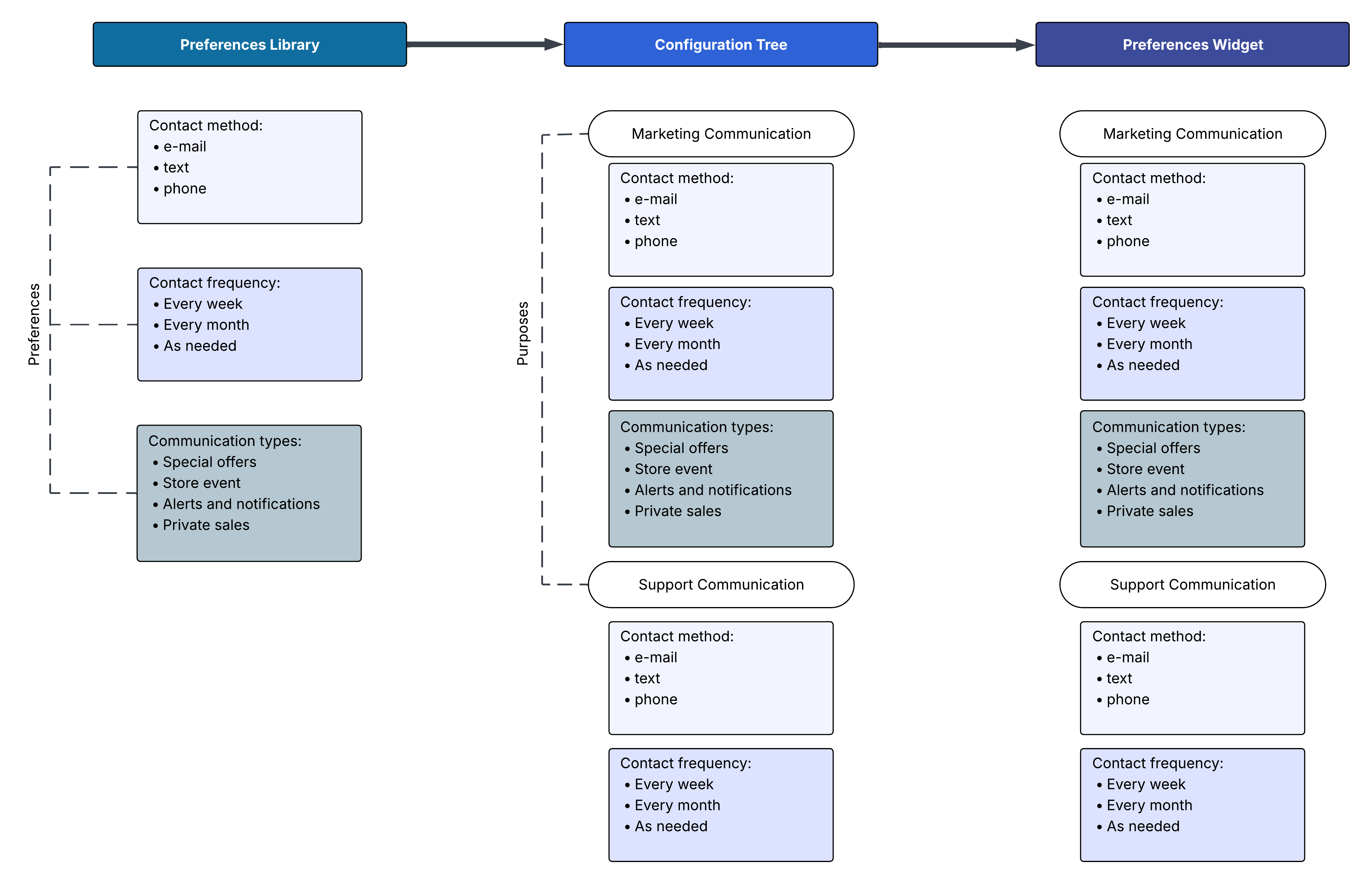
### Overview
### Console configuration
Use the table below to track the necessary configurations that need to be performed within the Didomi console before adding the required code onto your website.
{% hint style="warning" %}
**Note**: There are certain option steps/configurations that are not represented in this tracker such as managing translations.
{% endhint %}
### Deploy/embed preferences widget
How your organization deploys or embeds its preferences widget on your website is dependent on the preferences widget format. Follow the links below to learn more based on your preferences widget format:
{% hint style="warning" %}
**Note**: The resources below assume your organization is creating and configuring your preferences widget within the Didomi console which limits the deployment options available per [widget format](/preference-management-platform-pmp/preferences-widgets/preferences-widget-formats.md).
[Click here ](/preference-management-platform-pmp/preferences-widgets.md#didomi-console-vs-didomi-api)to learn more about the differences between utilizing the Didomi console vs the Didomi API and its impact on deployment.
{% endhint %}
---
# Agent Instructions
This documentation is published with GitBook. GitBook is the documentation platform designed so that both humans and AI agents can read, navigate, and reason over technical content effectively. Learn more at gitbook.com.
## Querying This Documentation
If you need additional information that is not directly available in this page, you can query the documentation dynamically by asking a question.
Perform an HTTP GET request on the current page URL with the `ask` query parameter, and the optional `goal` query parameter:
```
GET https://docs.didomi.io/preference-management-platform-pmp/introduction/pmp-implementation-overview-web.md?ask=&goal=
```
`ask` is the immediate question: it should be specific, self-contained, and written in natural language.
`goal` is optional and describes the broader end goal you are ultimately trying to accomplish on behalf of the user. GitBook uses it to tailor the answer towards what is most useful for that goal.
The response will contain a direct answer to the question and relevant excerpts and sources from the documentation.
Use this mechanism when the answer is not explicitly present in the current page, you need clarification or additional context, or you want to retrieve related documentation sections.