# User authentication method

{% hint style="success" %}
**Access Type**: Users & Roles - Viewer

**Premium Feature**: SSO
{% endhint %}

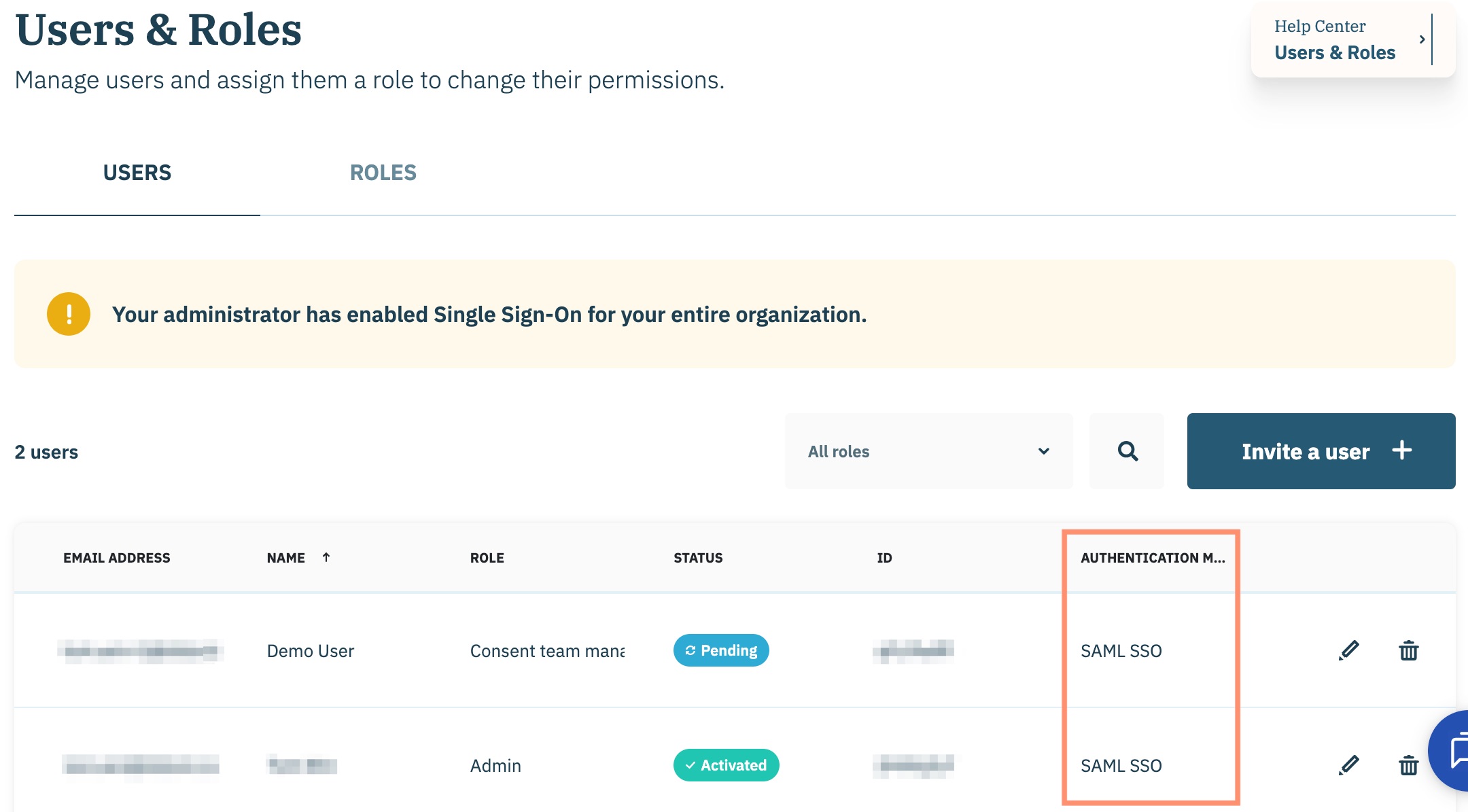
The authentication method attribute for a user provides your organization with insight into how a user is authenticating into your Didomi console. In this article, we will cover the different values that can be populated in this column for a user in organizations who have enabled Single Sign-On (SSO).

View the authentication method attribute for a user by clicking **My organization** and selecting **Users & Roles** from the drop-down menu.

<figure><img src="/files/mngzzd7MePmxIwldllTf" alt="" width="563"><figcaption></figcaption></figure>

Ensure the **Users** tab is selected and navigate to a user on the list to view that user's authentication method.

<figure><img src="/files/X02qeukORXKB9fS8W4nY" alt="" width="563"><figcaption></figcaption></figure>

Refer to the following table for the different authentication methods that can be populated and suggested actions if necessary.

{% hint style="info" %}
New users added to your organization's Didomi account will be able to use SAML SSO exclusively to authenticate into your account.&#x20;
{% endhint %}

<table><thead><tr><th width="197">Authentication method</th><th>Description</th><th>Suggested action(s)</th></tr></thead><tbody><tr><td>SAML SSO</td><td>User is connecting to your organization's Didomi account via SSO</td><td>No action needed.</td></tr><tr><td>Email/Password</td><td>User is connecting to your organization's Didomi account using an email and password</td><td><p>Perform one the following actions:</p><p></p><ul><li>Delete user since they are not part of your enterprise</li><li>Keep the user and authorize their email domain in your organization's SSO configuration</li></ul></td></tr></tbody></table>


---

# Agent Instructions: Querying This Documentation

If you need additional information that is not directly available in this page, you can query the documentation dynamically by asking a question.

Perform an HTTP GET request on the current page URL with the `ask` query parameter:

```
GET https://docs.didomi.io/organization-and-account-settings/single-sign-on-sso/user-authentication-method.md?ask=<question>
```

The question should be specific, self-contained, and written in natural language.
The response will contain a direct answer to the question and relevant excerpts and sources from the documentation.

Use this mechanism when the answer is not explicitly present in the current page, you need clarification or additional context, or you want to retrieve related documentation sections.
