# Notice version filters

{% hint style="success" %}
**Access Type**: Notice Versions - Viewer
{% endhint %}

When accessing a consent notice version through the versions and proofs module, your organization can utilize provided filters to narrow down the list of consent notices versions to fit your desired parameters. In this article, we will provide an overview of the filters available when retrieving a notice version.

To start, click **Versions & Proofs** on the left-hand panel and ensure the **Notice Versions** tab is selected on the subsequent page.&#x20;

<figure><img src="https://1825037175-files.gitbook.io/~/files/v0/b/gitbook-x-prod.appspot.com/o/spaces%2FNDxbAdc00ce6bH5u1urh%2Fuploads%2FHq9d6kEKCtYyTM6S9j9z%2FScreenshot_2026-02-26_at_10_54_12%E2%80%AFAM.jpg?alt=media&#x26;token=96a878f2-308d-4329-8381-d36ca293c4cb" alt="" width="563"><figcaption></figcaption></figure>

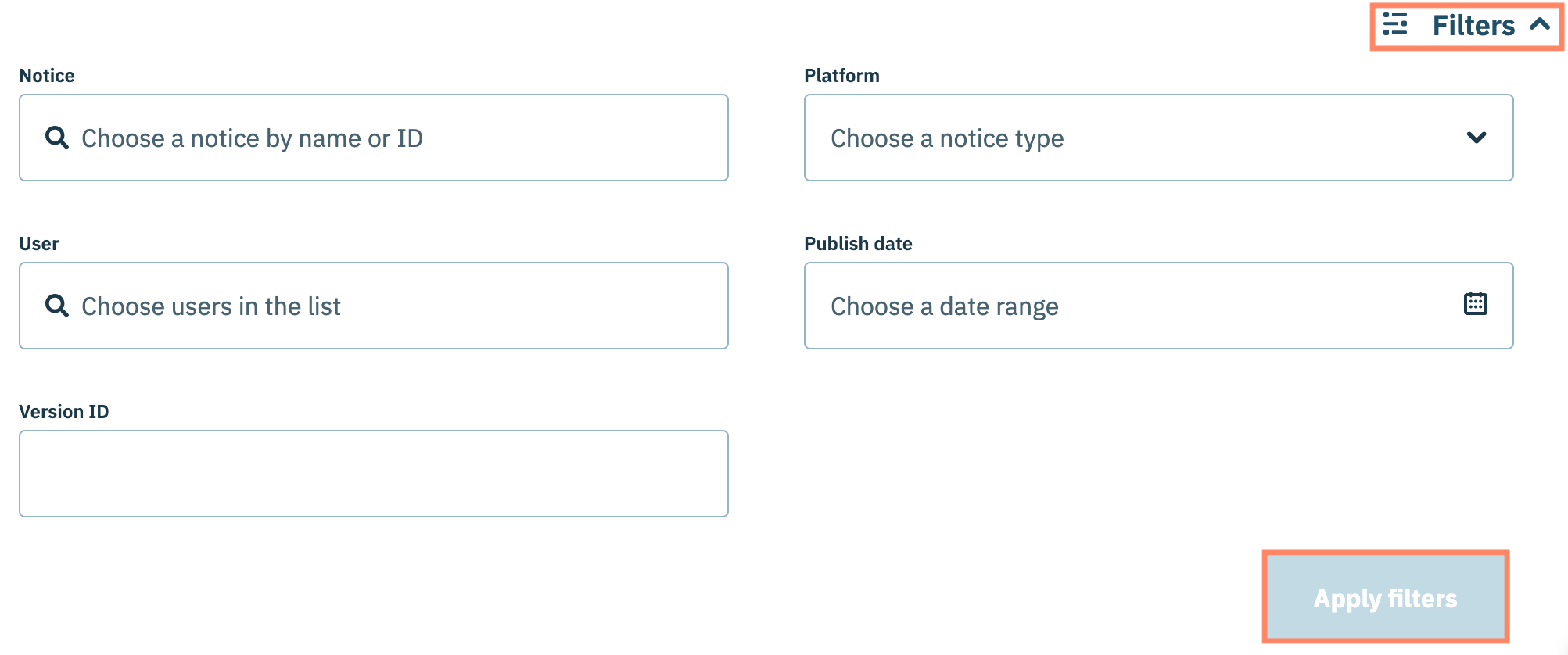
Click  **Filters**  and use the provided fields to apply your filters to the consent notices. Select **Apply filters** when finished.

<figure><img src="https://1825037175-files.gitbook.io/~/files/v0/b/gitbook-x-prod.appspot.com/o/spaces%2FNDxbAdc00ce6bH5u1urh%2Fuploads%2F4vk4d3KxtzXkkth5w3Jk%2FScreenshot%202025-11-03%20at%209.28.01%E2%80%AFAM.png?alt=media&#x26;token=c246a30b-718d-4038-a793-31179d6c2044" alt="" width="563"><figcaption></figcaption></figure>

Review the table below for more information on the various filters your organization can apply:&#x20;

<table><thead><tr><th width="185.2833251953125">Filter</th><th>Description</th></tr></thead><tbody><tr><td>Notice</td><td>Filters consent notices by the consent notice name or ID (assigned when a consent notice is created)</td></tr><tr><td>Platform</td><td>Filters consent notice versions by the platforms for which the consent notice was created for:<br><br><strong>AMP Website</strong> | <strong>Website</strong> | <strong>Mobile</strong> | <strong>Connected TV</strong></td></tr><tr><td>User</td><td>Filters consent notice versions by the user(s) who published the notice</td></tr><tr><td>Publish date</td><td>Filters consent notice versions by publication date within the specified range</td></tr><tr><td>Version ID</td><td>Filters consent notice by a unique Version ID (assigned to a particular version of the consent notice when it is published)</td></tr></tbody></table>
