Notice implementation dashboard
Access Type: Analytics - Viewer
The Notice implementation dashboard in Didomi CMP analytics enables your organization to track the successful implementation and validation of consent notices. This includes identifying whether notices are properly present on user pages, whether GCM is implemented correctly. In this article, we will provide a brief overview of the data and visualizations found in the Notice implementation dashboard.
The Notice implementation dashboard utilizes data from your organization's most recent compliance report to validate the implementation of the Didomi CMP and Google Consent Mode (GCM). Data will be updated daily and presented at the page level, ensuring granular insights for each URL monitored by the system.
To start, click Analytics on the left-hand panel and select the Notice implementation card on the subsequent page.

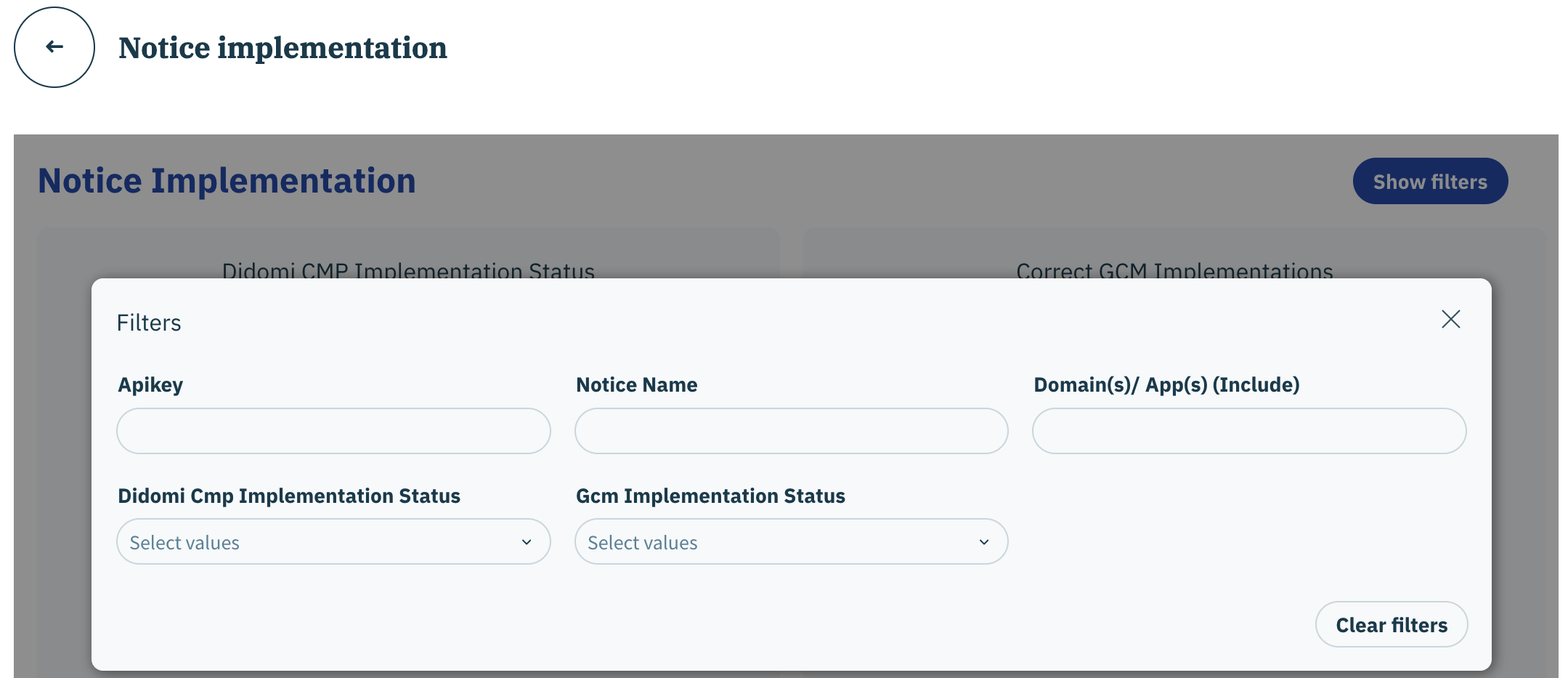
Notice implementation dashboard filters
The following filters are available for the Notice implementation dashboard:
Apikey
Notice Name
Domain(s)/ App(s) (Include)
Didomi Cmp Implementation Status (boolean)
Gcm Implementation Status (boolean)

Click here for more information on each available filter.
Notice implementation dashboard data and visualizations
The following tables and visualizations are available for the Notice implementation dashboard:
Review the Didomi CMP metric glossary for more information on metrics found in the dashboards.
Didomi CMP Implementation Status
Chart shows percentage of pages with the Didomi CMP present.
Correct GCM Implementations
Chart shows the percentage of pages with valid and invalid Google Consent Mode (GCM) configurations
Latest GCM report
Page level data regarding Didomi CMP and Google Consent Mode (GCM) configuration
Last updated