# Google Advertising Products

In this article, we will cover the Google Advertising Products vendor and explain how it integrates its various tools and services with the Interactive Advertising Bureau (IAB) and the General Data Privacy Regulation (GDPR).

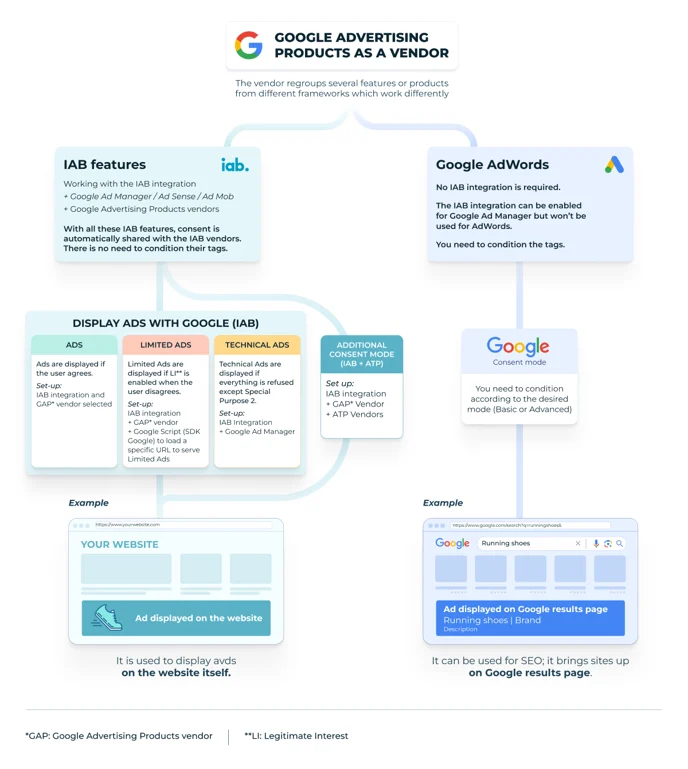
The Google Advertising Products vendor is comprised of features and/or products from different frameworks and operates in a distinct manner in accordance with each of those frameworks:

<table data-header-hidden><thead><tr><th width="215"></th><th></th></tr></thead><tbody><tr><td><a href="#iab-features">IAB features</a></td><td>Products that operate exclusively with an IAB integration</td></tr><tr><td><a href="#google-adwords">Google AdWords</a></td><td>Also known as Google Ads, it includes <a href="/pages/mcXR7vNOCKSqRSbDLIij">Google Consent Mode</a> which functions independently of an IAB integration</td></tr></tbody></table>

<figure><img src="/files/PqS6gBM7vMnXXRCZzems" alt="" width="516"><figcaption></figcaption></figure>

***

### IAB features

When the IAB integration is enabled for a GDPR consent notice, the Didomi CMP will generate and transmit the Transparency and Consent (TC) string, and share the end-user's consent choices with the Google Advertising Products vendor (if included in the vendor list for the consent notice).

<img src="/files/jjwoisMl4tUFf9PV7Uwc" alt="" width="516">

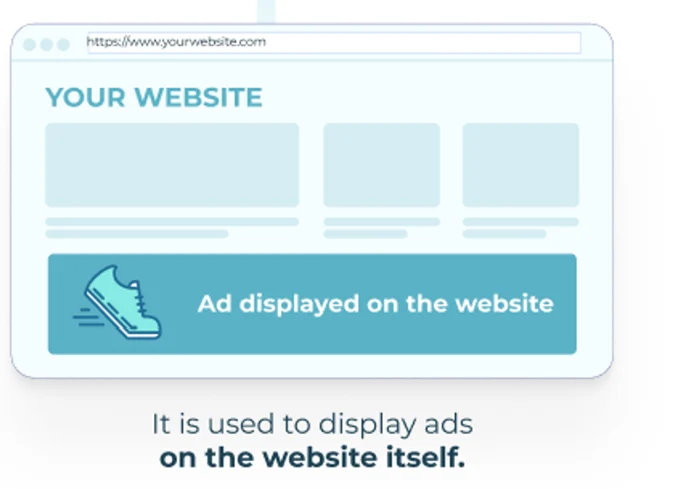
Ad Manager, also known as Ad Sense or Ad Mob, integrates your selected ad technology providers into all of your consent notices, which are then utilized to display ads on the website.
<figure><img src="/files/Jsybyuv6a7qcrje8lnkP" alt="" width="344"><figcaption></figcaption></figure>

There are two main IAB features within Ad Manager (Ad Sense, Ad Mob) for the Google Advertising Products vendor:

* [Display ads with Google](#display-a-ds-with-google)
* [Additional Consent Mode](#additional-consent-mode)

{% tabs %}
{% tab title="Display ads with Google" %}
{% hint style="info" %}
The following works for a consent notice with an IAB integration.
{% endhint %}

<table><thead><tr><th width="137">Use case</th><th width="327">Requirements</th><th>Result</th></tr></thead><tbody><tr><td>Ads</td><td><ul><li>Enable IAB integration on consent notice</li><li>Add Google Advertising Products vendor to consent notice</li></ul></td><td>Ads are displayed when end-user grants consent.</td></tr><tr><td>Limited Ads</td><td><ul><li>Enable IAB integration on consent notice</li><li>Add Google Advertising Products vendor to consent notice</li><li>Activate legitimate interest for the Google Advertising Products vendor</li><li>Implement script provided by Google</li></ul></td><td>Limited Ads are displayed when the end-user does not grant consent but legitimate interest is enabled.<br><br><a href="/pages/BK6vGixVuvYW2zfPogkt"><mark style="background-color:$warning;">Click here</mark></a> <mark style="background-color:$warning;">to learn more about Limited Ads.</mark></td></tr><tr><td>Technical Ads</td><td><ul><li>Enable IAB integration on consent notice</li><li>Add Google Advertising Products vendor to consent notice</li><li>Activate function in your organization's <a href="https://support.google.com/admanager/answer/12767726?hl=en&#x26;sjid=15981392723739268421-EU">Google Ad Manager</a> account</li></ul></td><td>Technical Ads are displayed when end-user does not grant consent for all purposes except IAB Special Purpose 2. </td></tr></tbody></table>
{% endtab %}

{% tab title="Additional Consent Mode" %}
{% hint style="info" %}
The following works for a GDPR consent notice with an IAB integration and ATP vendors.
{% endhint %}

Consent is automatically transmitted to ATP vendors through Google Ad Manager, regardless of whether the ATP vendors are members of the IAB.

For more information on Additional Consent Mode, please visit the following dedicated resources:

* [Configure Google Additional Consent Mode (web)](/integrations/google/configure-google-additional-consent-mode-web.md)
* [Google’s Additional Consent technical specification](https://support.google.com/admanager/answer/9681920?hl=en)

<table><thead><tr><th width="131">SDK</th><th>Requirements</th></tr></thead><tbody><tr><td>Web</td><td><ul><li>Enable IAB integration on consent notice</li><li>Add Google Advertising Products vendor to consent notice</li><li>Add ATP vendors to consent notice (identified by Google logo) </li></ul></td></tr><tr><td>Mobile</td><td><ul><li>Enable IAB integration on consent notice</li><li>Add Google Advertising Products vendor to consent notice</li><li>Add ATP vendors to consent notice (identified by Google logo)</li><li><a href="https://developers.didomi.io/cmp/mobile-sdk/third-party-sdks#google-additional-consent-mode">Add custom JSON code</a></li></ul></td></tr></tbody></table>
{% endtab %}
{% endtabs %}

### Google AdWords

Google AdWords (Google Ads), part of Google Advertising Products, serves as a technology provider for online advertising. This platform enables the posting of ads in multiple formats across search results and Google's Display Network using a pay-per-click model to increase web traffic and enhance brand recognition.&#x20;

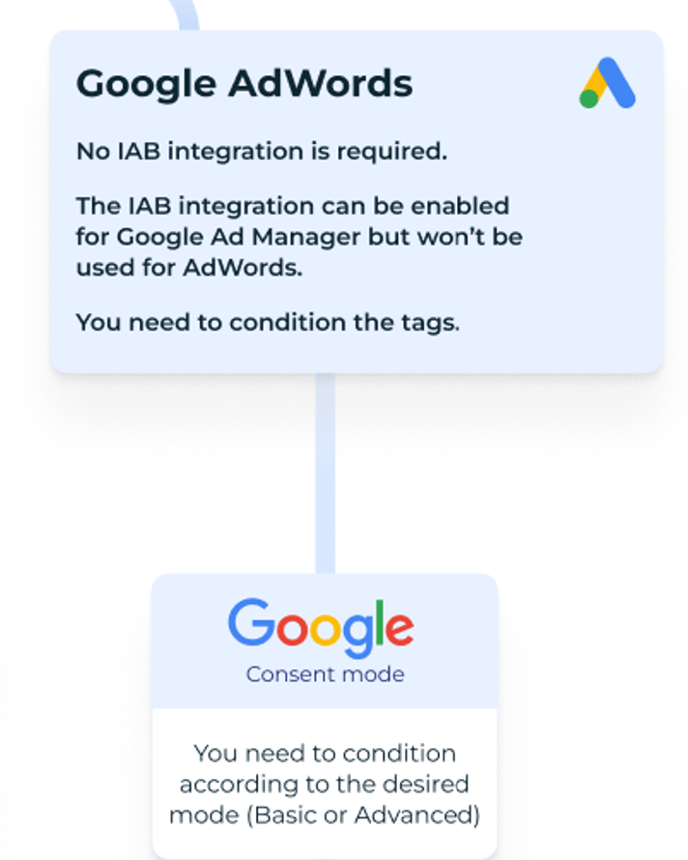
Google AdWords operates independently of an IAB integration and requires additional configuration of Google Ads tags in your tag manager or through hard-coded settings.

<figure><img src="https://support.didomi.io/hs-fs/hubfs/GoogleAdWords.png?width=688&#x26;height=860&#x26;name=GoogleAdWords.png" alt="" width="375"><figcaption></figcaption></figure>

Google AdWords, (now known as Google Ads), can be configured to use Google Consent Mod&#x65;**.** It allows the relay of consent status to Google and dictates how tags operate.

{% hint style="info" %}
Even though an IAB integration is possible for Google Ad Manager, it is not utilized when operating in this mode.
{% endhint %}

The mode dynamically alters Google Analytics and Google Ads behaviours according to end-user consent from consent notices, with a crucial condition tag that facilitates these adjustments.

<img src="/files/NrGLbvDWRXt88eM1Pq2p" alt="" width="344">


---

# Agent Instructions: Querying This Documentation

If you need additional information that is not directly available in this page, you can query the documentation dynamically by asking a question.

Perform an HTTP GET request on the current page URL with the `ask` query parameter:

```
GET https://docs.didomi.io/integrations/google/google-advertising-products.md?ask=<question>
```

The question should be specific, self-contained, and written in natural language.
The response will contain a direct answer to the question and relevant excerpts and sources from the documentation.

Use this mechanism when the answer is not explicitly present in the current page, you need clarification or additional context, or you want to retrieve related documentation sections.