# Create custom purpose

{% hint style="success" %}
**Access Type**: Data Manager - Editor
{% endhint %}

By default, Didomi provides your organization with[ IAB and global purposes](/data-manager/purposes.md) to facilitate adherence with the IAB Transparency and Consent Framework (TCF) and the IAB Global Privacy Protocol (GPP). In addition to these default purposes, your organization can configure a custom purpose to describe a reason your organization is collecting and processing an end-user's data.

In this article, we will cover how to create and configure a new custom purpose via the Data Manager.

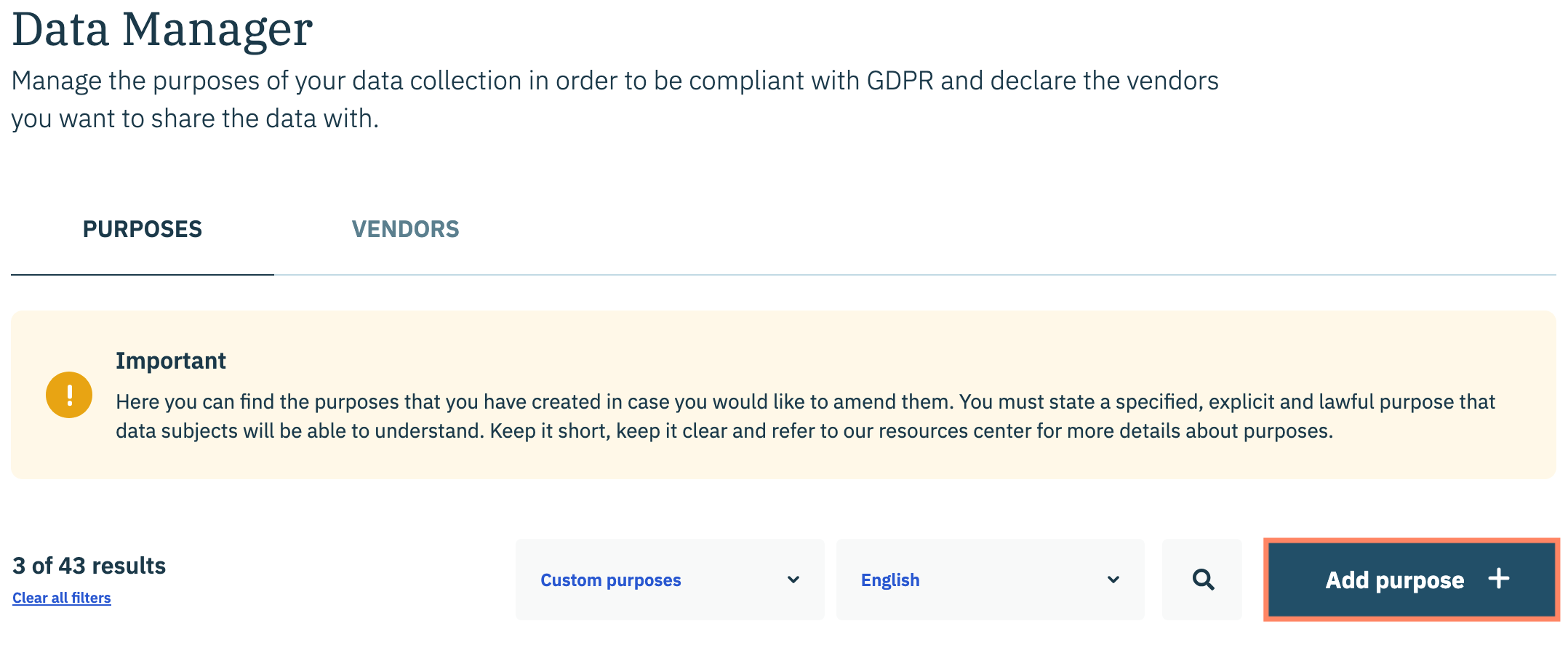
Click **Data Manager** in the left-hand panel and ensure the **Purposes** tab is selected on the subsequent page.&#x20;

<figure><img src="/files/hQmhgwNLvVyUKvvuzXNE" alt="" width="563"><figcaption></figcaption></figure>

Click **Add purpose +**.&#x20;

<figure><img src="/files/jlqenrQiOR01k0ETD5a9" alt="" width="563"><figcaption></figcaption></figure>

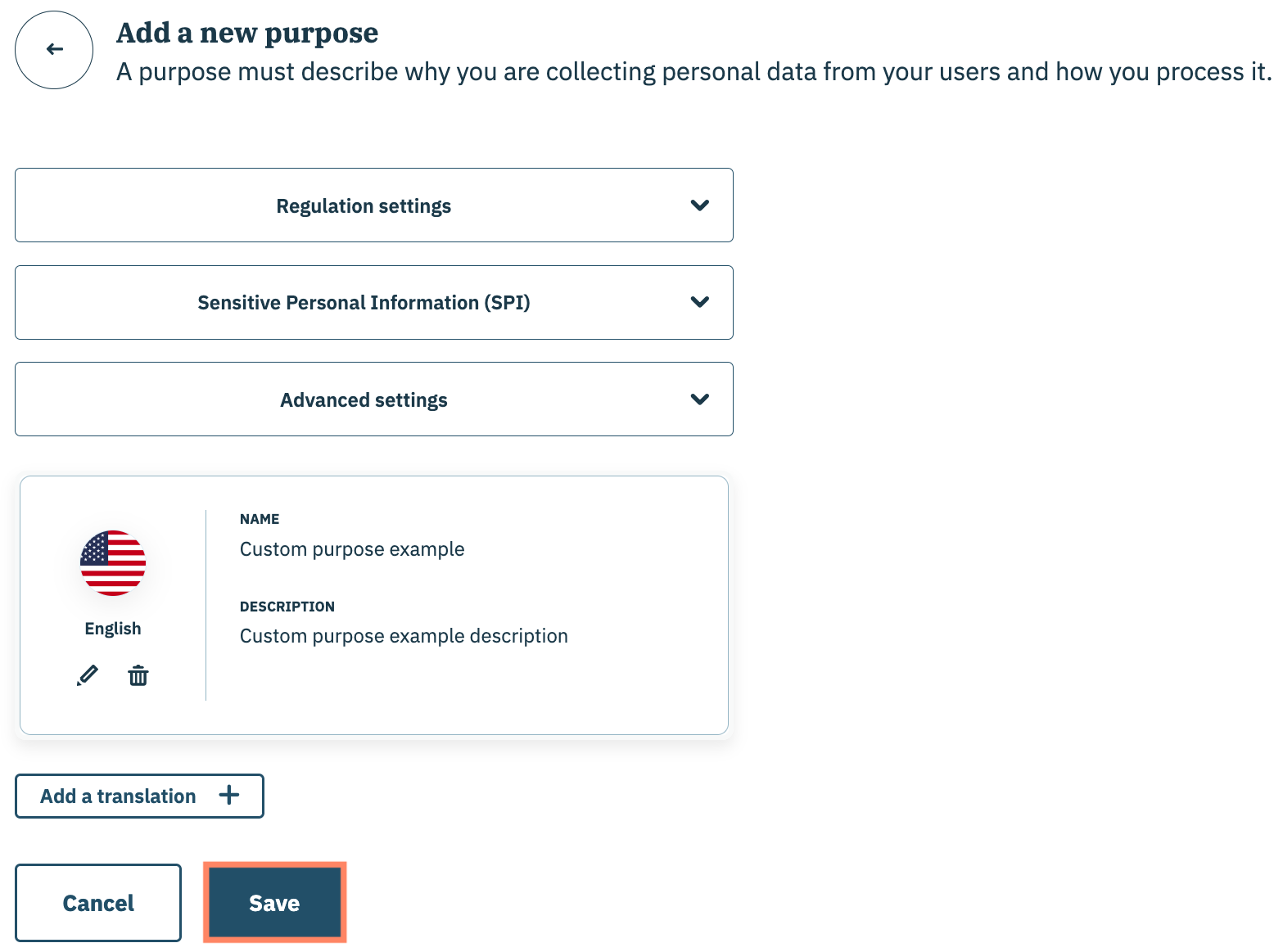
Use the provided fields on the subsequent page to configure the following attributes for the custom purpose:

<table><thead><tr><th width="203">Attribute</th><th>Description</th></tr></thead><tbody><tr><td>Regulation settings</td><td>Indicates the regulatory frameworks to which the purpose applies. Once the purpose is mapped to a vendor, the purpose will populate in the consent notice for each regulation so the end-user can grant or deny consent for the vendor's data processing.</td></tr><tr><td>Sensitive Personal Information (SPI)</td><td>Indicates whether purpose collects information that is deemed Sensitive Personal Information (SPI)</td></tr><tr><td>Advanced Setting</td><td>Enables your organization to configure a Custom SDK ID for the custom purpose which is a configurable ID used solely for migrating existing consent notices from JSON configurations. Once configured, Didomi will force set the SDK ID of the purpose to an ID in your JSON configuration</td></tr><tr><td>Translation(s)</td><td>Language(s) into which the custom purpose name and description are translated. <a href="/pages/8dkVYJ4LyKFgEgZqRG64#custom-purpose-translations">Click here</a> for more information</td></tr></tbody></table>

Click **Save** when finished.&#x20;

<figure><img src="/files/JUimSaeLxZF5p3ziiFXm" alt="" width="563"><figcaption></figcaption></figure>

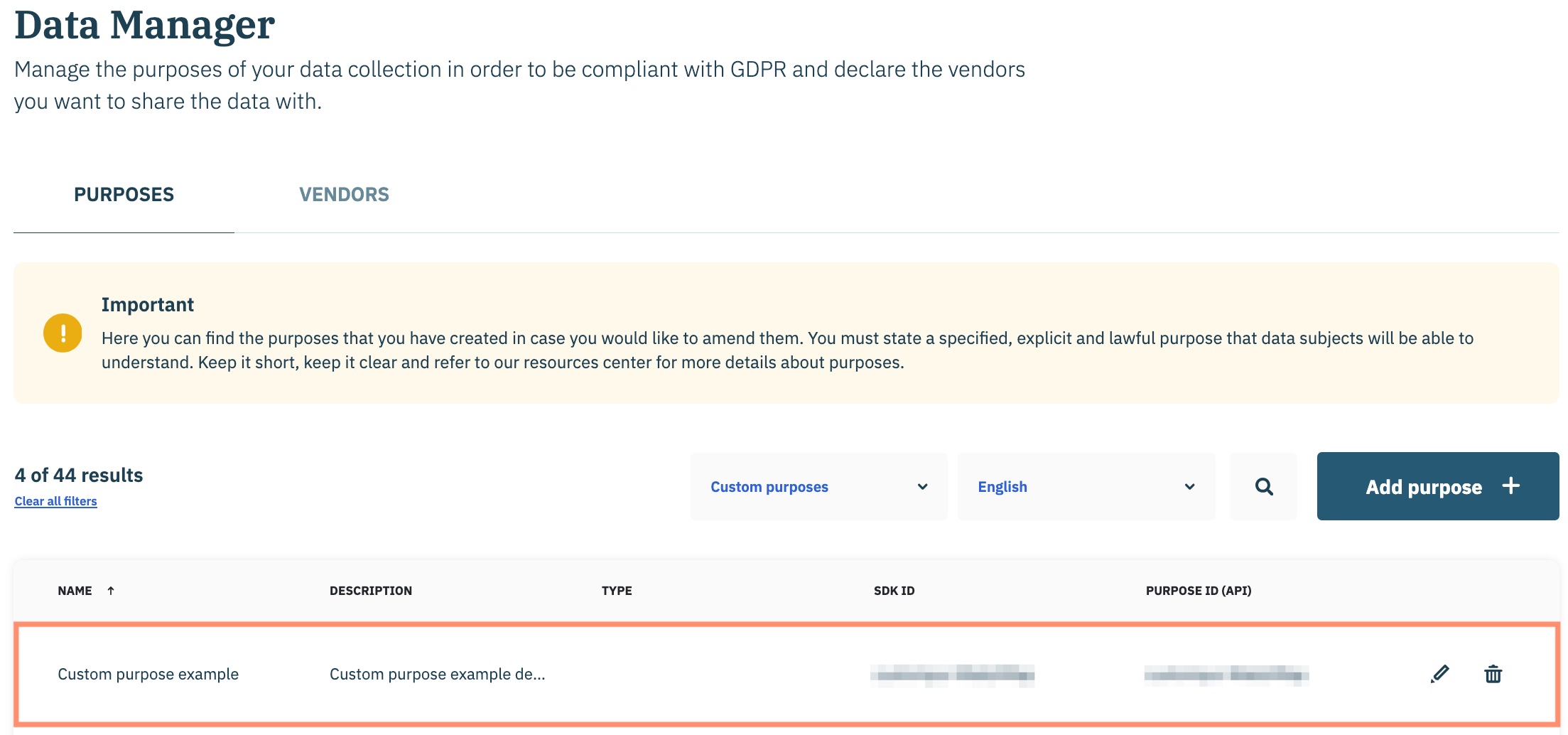
Your new custom purpose will be added to your organization's Didomi account.&#x20;

{% hint style="warning" %}
**Note**: Once the custom purpose is created, Didomi will generate a unique Purpose ID that will be used to identify the purpose in API requests.&#x20;
{% endhint %}

<figure><img src="/files/QX1ivLWjPiRSEmyqZ3ch" alt="" width="563"><figcaption></figcaption></figure>

Assign your organization's [new custom purpose to vendors](/data-manager/vendors/add-purpose-to-vendor.md) as necessary.


---

# Agent Instructions: Querying This Documentation

If you need additional information that is not directly available in this page, you can query the documentation dynamically by asking a question.

Perform an HTTP GET request on the current page URL with the `ask` query parameter:

```
GET https://docs.didomi.io/data-manager/purposes/create-custom-purpose.md?ask=<question>
```

The question should be specific, self-contained, and written in natural language.
The response will contain a direct answer to the question and relevant excerpts and sources from the documentation.

Use this mechanism when the answer is not explicitly present in the current page, you need clarification or additional context, or you want to retrieve related documentation sections.