# Amazon Consent Signal (ACS)

{% hint style="success" %}
**Access Type**: Consent Notices - Editor
{% endhint %}

Amazon Consent Signal (ACS) is a consent sharing format developed by Amazon that allows advertisers and other third parties to communicate end-user's privacy choices to Amazon Ads with more granularity. In this article, we will cover the following regarding implementing Amazon Consent Signal:

* [Prerequisites](#prerequisites)
* [Overview](#overview)
* [Amazon Consent Signal (ACS) consent parameters ](#amazon-consent-signal-acs-consent-parameters)
* [Enable Amazon Consent Signal (ACS)](#enable-amazon-consent-signal-acs)

{% hint style="warning" %}
**Note**: Amazon Consent Signal (ACS) is only available for GDPR consent notices.
{% endhint %}

***

### Prerequisites

Before successfully enabling and utilizing Amazon Consent Signal (ACS) for your GDPR consent notice, ensure that the following criteria is met:

* Amazon Ads vendor tag configured on page where GDPR consent notice is deployed
* Amazon Ads vendor (IAB ID: 793) added to GDPR consent notice

{% hint style="info" %}
If Amazon Ads (IAB ID: 793) is not added to the GDPR consent notice, Didomi will add the vendor when attempting to enable Amazon Consent Signal (ACS).
{% endhint %}

### Overview

In order to communicate UK and EEA end-users' consent decision to Amazon Ads, your organization can utilize one of the following signals:

<table><thead><tr><th width="230.0833740234375">Signal</th><th>Description</th></tr></thead><tbody><tr><td>Transparency &#x26; Consent (TC) string</td><td><p>For GDPR consent notices that leverage the IAB TCF framework. Amazon Ads (IAB vendor: 793) will act as a registered IAB TCF vendor and read the end-user's consent decisions directly from the TC string.</p><p></p><p><mark style="background-color:$warning;"><strong>Note</strong>:  If your organization's consent banner leverages the IAB TCF framework, you <strong>do not</strong> need to enable Amazon Consent Signal (ACS) as Amazon Ads will always read the TC string for the end-user's consent decisions.</mark></p></td></tr><tr><td>Amazon Consent Signal (ACS)</td><td>For GDPR notices that do not utilize the IAB TCF framework, Amazon Ads will rely on the Amazon Consent Signal (ACS) to determine the end-user's consent decisions</td></tr></tbody></table>

The steps below provide an overview of the configuration and consent signaling flow for the Amazon Consent Signal (ACS).

{% stepper %}
{% step %}
Enable Amazon Consent Signal (ACS) on Didomi GDPR consent notice
{% endstep %}

{% step %}
End-user provides consent decisions through Didomi GDPR consent notice
{% endstep %}

{% step %}
Didomi calculates and shares end-user consent decision with Amazon Consent Signal (ACS)
{% endstep %}

{% step %}
Amazon Consent Signal (ACS) communicates consent signals to Amazon Ads so that ads comply with end-user consent decisions
{% endstep %}
{% endstepper %}

### Amazon Consent Signal (ACS) consent parameters

The Amazon Consent Signal (ACS) is comprised of two consent parameters: `amzn_user_data` and `amzn_ad_storage` . Refer to the table below for more information on these parameters.

<table><thead><tr><th width="178.4166259765625">Consent parameter</th><th width="159.3333740234375">Values</th><th>Description</th></tr></thead><tbody><tr><td><code>amzn_user_data</code></td><td><code>GRANTED</code> | <code>DENIED</code></td><td>Indicates whether end-user has consented to Amazon processing personal data (e.g. advertising identifier) for advertising purposes</td></tr><tr><td><code>amzn_ad_storage</code></td><td><code>GRANTED</code> | <code>DENIED</code></td><td>Indicates whether end-user has given Amazon consent to read or write advertising cookies or similar technologies on the end-user's device</td></tr></tbody></table>

{% hint style="info" %}
The default value for both `amzn_user_data` and `amzn_ad_storage` is set to `DENIED` unless otherwise configured through the Didomi console.
{% endhint %}

Didomi determines the value of the Amazon Consent Signal (ACS) consent parameters by utilizing the end-user's consent decisions for the **Amazon Ads** vendor (IAB ID: 793). In order for Didomi to set the consent parameters to `GRANTED` , the Amazon Ads vendor must receive global consent (consent for the vendor and all of its purposes) from the end-user.

<table><thead><tr><th width="178.4166259765625">Consent parameter</th><th width="100.666748046875">Value</th><th>End-user consent decision</th></tr></thead><tbody><tr><td><code>amzn_user_data</code></td><td><code>GRANTED</code></td><td>End-user provides global consent (consent for vendor all of its purposes) for Amazon Ads vendor (IAB: 793) </td></tr><tr><td><code>amzn_ad_storage</code></td><td><code>GRANTED</code> </td><td>End-user provides global consent (consent for vendor all of its purposes) for Amazon Ads vendor (IAB: 793) </td></tr></tbody></table>

If global consent is not received for the Amazon Ads vendor (IAB ID: 793), both consent parameters will have a value of `DENIED` .

<table><thead><tr><th width="178.4166259765625">Consent parameter</th><th width="100.666748046875">Value</th><th>End-user consent decision</th></tr></thead><tbody><tr><td><code>amzn_user_data</code></td><td><code>DENIED</code></td><td>End-user did not consent to one or more purposes for Amazon Ads vendor (IAB: 793) or the vendor itself</td></tr><tr><td><code>amzn_ad_storage</code></td><td><code>DENIED</code> </td><td>End-user did not consent to one or more purposes for Amazon Ads vendor (IAB: 793) or the vendor itself</td></tr></tbody></table>

### Enable Amazon Consent Signal (ACS)

{% hint style="warning" %}
**Note**: Amazon Consent Signal (ACS) is only available for GDPR consent notices.
{% endhint %}

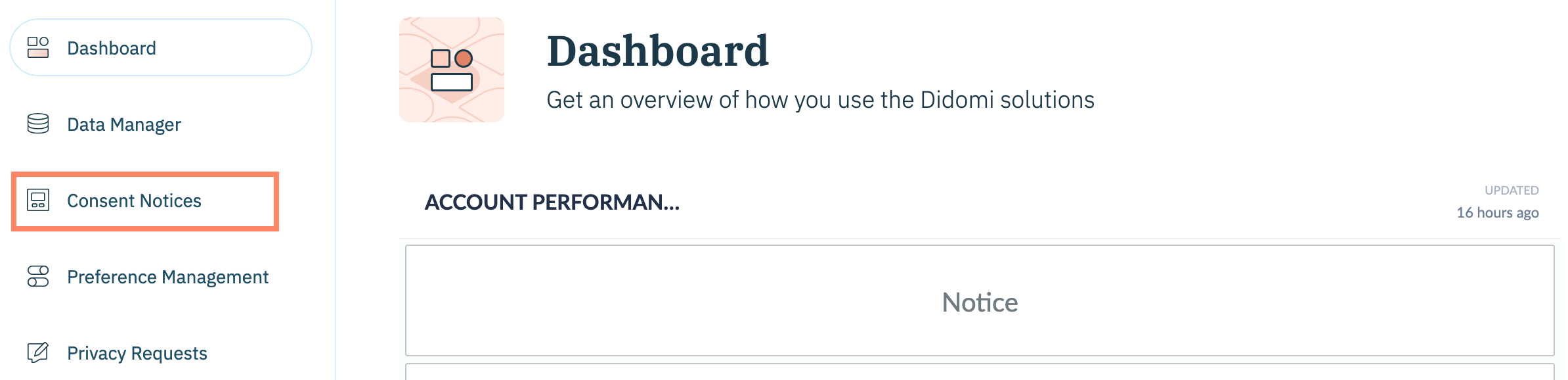
Enable Amazon Consent Signal (ACS) for your organization's GDPR consent notice by clicking **Consent Notices** on the left-hand panel.

<figure><img src="/files/SSQn3nhGsFDxwTnyVXu2" alt="" width="563"><figcaption></figcaption></figure>

Edit an existing GDPR consent notice or create a new GDPR consent notice.

<figure><img src="/files/OvVXpoZfYcX1UKfkFqt2" alt="" width="563"><figcaption></figcaption></figure>

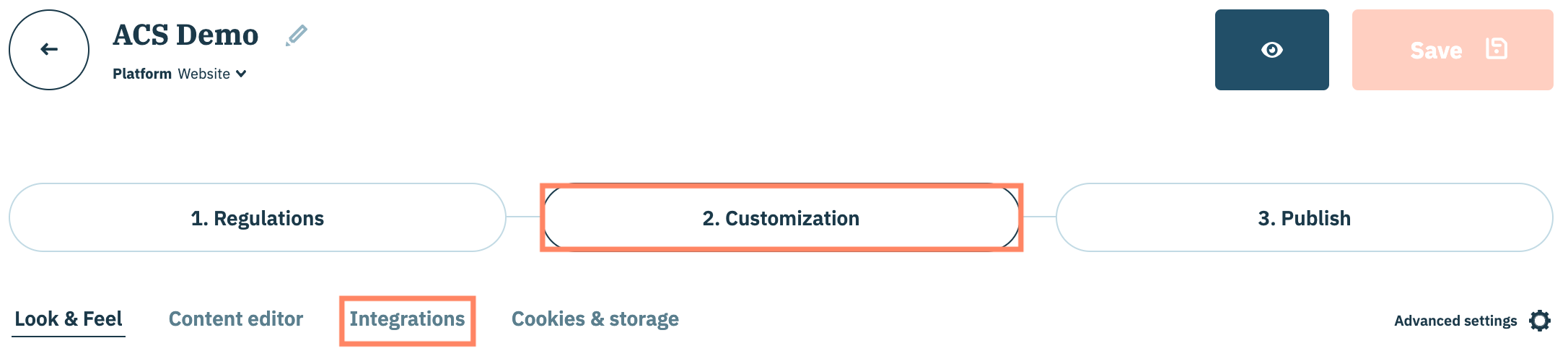
From the consent notice configuration flow, click the **Customization** tab and select the **Integrations** sub-tab.

<figure><img src="/files/yl6Pgl7MWTum8hEmxW4P" alt="" width="563"><figcaption></figcaption></figure>

Navigate to **Consent Modes**.

<figure><img src="/files/0afOzE78tXESsA1bZZ5F" alt="" width="563"><figcaption></figcaption></figure>

Enable the toggle for **Amazon Consent Signal**.

Expand the Amazon Consent Signal accordion to configure any advanced settings. Review the table below for information on each toggle.

{% hint style="info" %}
The default value for both `amzn_user_data` and `amzn_ad_storage` is set to `DENIED` unless otherwise configured through the Didomi console.
{% endhint %}

<table><thead><tr><th width="321.7332763671875">Toggle</th><th>Description</th></tr></thead><tbody><tr><td>Set the default status of Amazon consent signals when the page loads</td><td>Required to override the default status of <code>amzn_ad_storage</code> and/or <code>amzn_user_data</code> </td></tr><tr><td>Enable <strong>Ad storage</strong> before the user gives consent</td><td>Overrides the default value of <code>amazn_ad_storage</code> and sets the default to <code>GRANTED</code></td></tr><tr><td>Enable <strong>Ad user data</strong> before the user gives consent</td><td>Overrides the default value of <code>amazn_user_data</code> and sets the default to <code>GRANTED</code></td></tr></tbody></table>

<figure><img src="/files/dCZTjWgo2BfvKNYXoK05" alt="" width="563"><figcaption></figcaption></figure>

When finished, save and publish the consent notice.


---

# Agent Instructions: Querying This Documentation

If you need additional information that is not directly available in this page, you can query the documentation dynamically by asking a question.

Perform an HTTP GET request on the current page URL with the `ask` query parameter:

```
GET https://docs.didomi.io/consent-management-platform-cmp/frameworks-regulations/amazon-consent-signal-acs.md?ask=<question>
```

The question should be specific, self-contained, and written in natural language.
The response will contain a direct answer to the question and relevant excerpts and sources from the documentation.

Use this mechanism when the answer is not explicitly present in the current page, you need clarification or additional context, or you want to retrieve related documentation sections.