> For the complete documentation index, see [llms.txt](https://docs.didomi.io/llms.txt). Markdown versions of documentation pages are available by appending `.md` to page URLs; this page is available as [Markdown](https://docs.didomi.io/consent-management-platform-cmp/consent-notices/multi-regulation-approach.md).
# Multi-regulation approach
{% hint style="info" %}
The batch export is not yet compatible with a multi-regulation approach. At this moment in time, the user consent will be associated with GDPR in the historical data to which you have access.
{% endhint %}
With the release of the new console, Didomi is now supporting a multi-regulation approach for notices. This means that a single notice can be configured for several different regulations in parallel, and users will have a specific notice display depending on the regulation based on their IP address.
In this article, you'll find some clarifications about how the multi-regulation works concretely.
#### How do I configure a multi-regulation notice?
Here are the steps you need to particularly check if you want to configure a multi-regulation notice:
In general, **pay attention to the regulation dropdown** in the console. Wherever you see it, it means that you can customize parameters per regulation. You will need to fill in the parameters for each regulation in the dropdown.
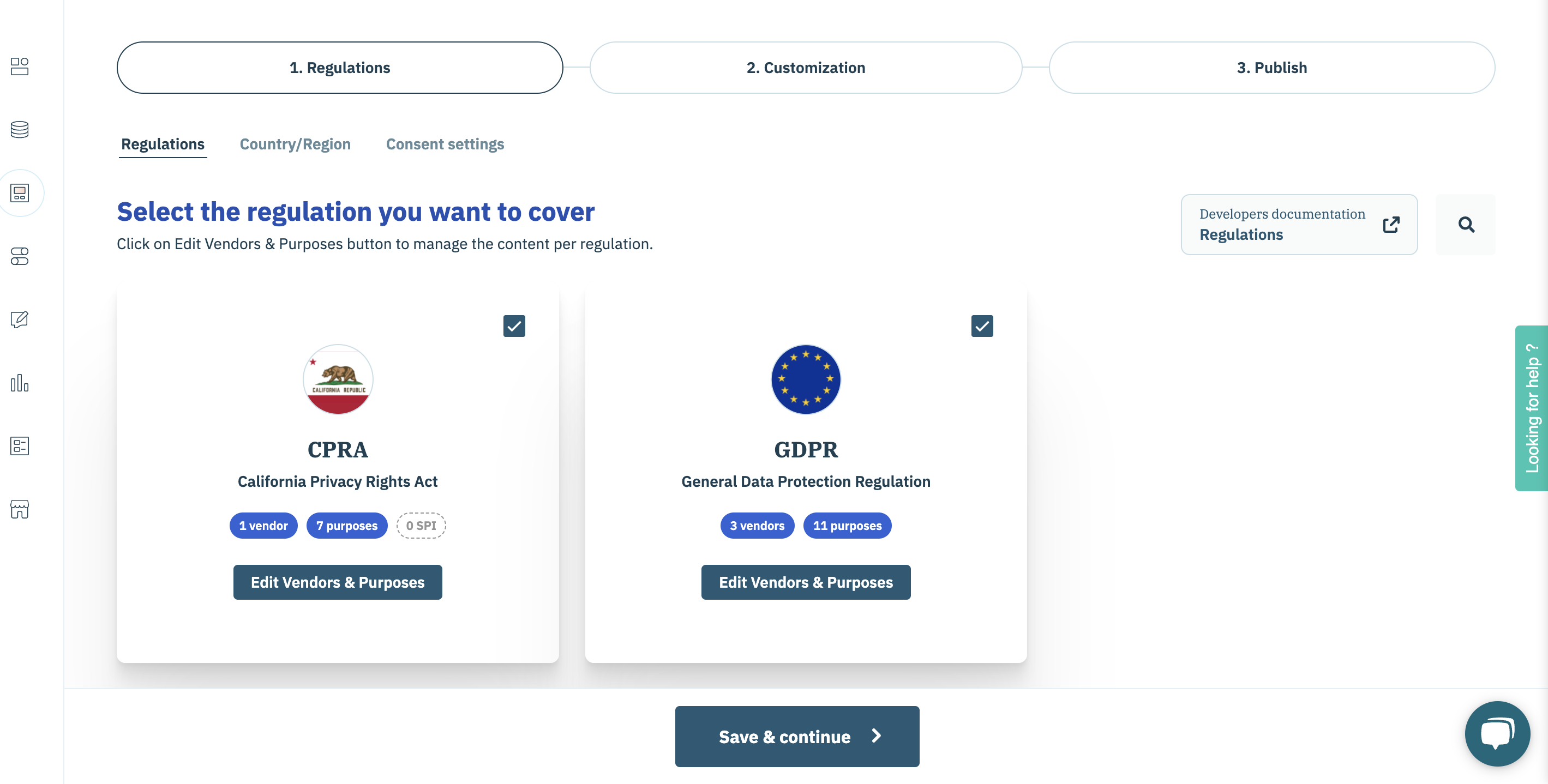
1. When you create a notice, after selecting the environment and the framework, you are directed to the very first configuration step called **1. Regulations**.
2. In the first tab **Regulations**, you can select as many regulations as you want.
3. For each regulation selected, you need to configure Vendors & purposes by clicking on **Edit Vendors & purpose** button and selecting the vendors you want for each regulation. You can use the same vendor for several different regulations if you wish.
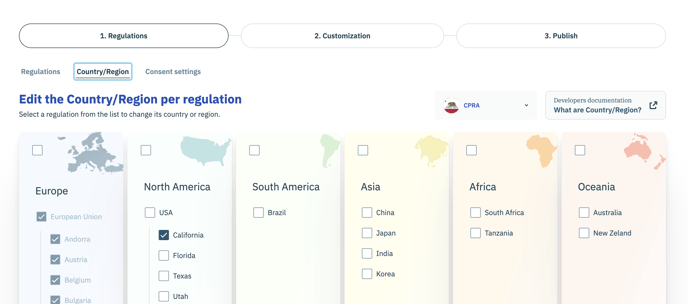
4. Then in the **Country/region** tab, you can decide which regulation applies in which country/region.
5. In the second step **2. Customization**, you will be able to define specific parameters per regulation in **Look & Feel** **Content Editor** & **Integrations** tabs.\

{% hint style="info" %}
Check out our global documentation about [how to create a notice](/consent-management-platform-cmp/consent-notices/create-consent-notice.md) for more details about each configuration step.
{% endhint %}
#### Will I be able to customize my notice per country inside GDPR (or inside any other multi-country regulation) ?
The customization applies to all countries covered by a specific regulation. There is no possibility to apply customization at the country level yet. However, we support two local exceptions for GDPR, France, and Italy, for which you can customize a few specific parameters that will override GDPR global parameters for users in these countries.
#### ✅ Use case examples
> I want a notice that behaves differently for users in GDPR countries than for users in California.
**Supported:** For a notice supporting GDPR and CPRA, you will specify a behavior for GDPR and another behavior for CPRA. All users in GDPR countries will see the GDPR notice, while users in California will see the CPRA notice.
> I want a GDPR notice that behaves differently for German users than for Spanish users.
**Not supported:** It is not possible to define different behaviors for users in different countries covered by the same regulation, except for France and Italy's local exceptions under GDPR (see third example).
> I want a GDPR notice that behaves differently for French users than for other GDPR users.
**Supported:** A few parameters specific to France's local regulation can be applied and will override global GDPR parameters. Users in France will see the France notice while users in all other GDPR countries will see the GDPR notice.
> I want a GDPR notice that behaves differently for Italian users than for other GDPR users.
**Supported:** A few parameters specific to Italian local regulation can be applied, and will override global GDPR parameters. Users in Italy will see the France notice while users in all other GDPR countries will see the GDPR notice.
---
# Agent Instructions
This documentation is published with GitBook. GitBook is the documentation platform designed so that both humans and AI agents can read, navigate, and reason over technical content effectively. Learn more at gitbook.com.
## Querying This Documentation
If you need additional information that is not directly available in this page, you can query the documentation dynamically by asking a question.
Perform an HTTP GET request on the current page URL with the `ask` query parameter, and the optional `goal` query parameter:
```
GET https://docs.didomi.io/consent-management-platform-cmp/consent-notices/multi-regulation-approach.md?ask=&goal=
```
`ask` is the immediate question: it should be specific, self-contained, and written in natural language.
`goal` is optional and describes the broader end goal you are ultimately trying to accomplish on behalf of the user. GitBook uses it to tailor the answer towards what is most useful for that goal.
The response will contain a direct answer to the question and relevant excerpts and sources from the documentation.
Use this mechanism when the answer is not explicitly present in the current page, you need clarification or additional context, or you want to retrieve related documentation sections.