# Preference selection RAW dashboard

{% hint style="success" %}
**Access Type:** Analytics - Viewer

**Premium Feature**: Preference Management Platform
{% endhint %}

The Preference selection RAW dashboard in Didomi PMP analytics enables your organization to view data collected in preference choice events and provides detailed information on how end-users set their purpose and preference decisions. In this article, we will provide a brief overview of the data and visualizations found in the Preference selection RAW dashboard.

* [Preference selection RAW dashboard filters](#preference-selection-raw-dashboard-filters)
* [Preference selection RAW dashboard data and visualizations](#preference-selection-raw-dashboard-data-and-visualizations)

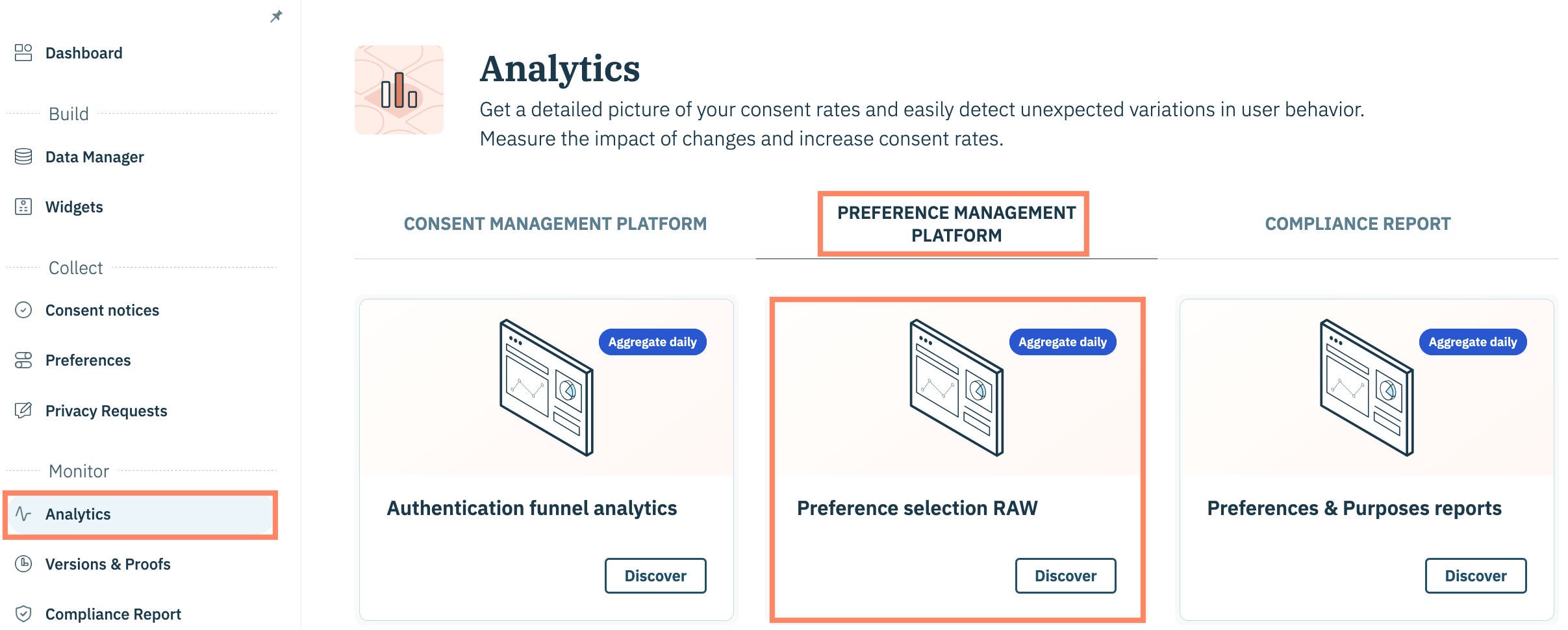
To start, click **Analytics** on the left-hand panel and select the **Preference Management Platform** tab.

Click the **Preference selection RAW** card on the subsequent page.

<figure><img src="/files/q6Tj0nnP3eTNx628cPrl" alt="" width="563"><figcaption></figcaption></figure>

***

### Preference selection RAW dashboard filters

The following filters are available for the Preference selection RAW dashboard:

* Date
* Apikey
* User Country
* Device Type
* Device Os
* Domain(s)/ App(s) (Include)
* Domain(s)/ App(s) (Exclude)

{% hint style="info" %}
[Click here](/analytics/preference-management-platform-pmp-analytics/introduction/pmp-analytics-filters.md) for more information on each available filter.
{% endhint %}

<figure><img src="/files/JfYjUU6iwolCCmUXC3vk" alt="" width="563"><figcaption></figcaption></figure>

### Preference selection RAW dashboard data and visualizations

The following tables and visualizations are available for the Preference selection RAW dashboard:

{% hint style="info" %}
Review the Didomi [PMP metric glossary](/analytics/preference-management-platform-pmp-analytics/pmp-metrics/pmp-metric-glossary.md) for more information on metrics found in the dashboards.
{% endhint %}

<table><thead><tr><th width="233">Table/Visualization</th><th>Description</th></tr></thead><tbody><tr><td>Over the period</td><td><p>View the following volume metrics for the configured periodization:</p><ul><li>Users</li><li>Total Choices</li><li>New Choices</li><li>Updated Choices</li><li>Average Choice by User</li></ul></td></tr><tr><td>Preference choices type distribution</td><td>Percentage New and Updated choices contribute to your organization's total choices for the configured periodization </td></tr><tr><td>Preference choice type collection per day</td><td>Number of New and Updated choices per day within the configured periodization</td></tr><tr><td>Top 10 - Widget preference collection distribution</td><td>Percentage your organization's top 10 preferences widgets contribute to the total choices made within the configured periodization</td></tr><tr><td>Widget distribution over time per day</td><td>Number of choices (either new or updated) for each preferences widget per day within the configured periodization</td></tr><tr><td>Purpose selection types distribution</td><td>Percentage each purpose selection type (e.g. propagation, denied, etc...) contributes to the overall purpose selections for the configured periodization</td></tr><tr><td>Purpose selection types distribution per day</td><td>Number of purpose selection types (e.g. propagation, denied, etc...) per day in the configured periodization</td></tr><tr><td>Purpose selection report</td><td>View detailed purpose selections for each purpose configured in your preferences widgets</td></tr><tr><td>Purpose activate and unactivated rates per day</td><td>View the trend of activation rate and unactivated rate for purposes  in your configured periodization</td></tr><tr><td>Preference selection types distribution</td><td>Percentage each preference selection type contributes to the overall preference selections for the configured periodization</td></tr><tr><td>Preference selection types distribution per day</td><td>Number of preference selection types per day in the configured periodization</td></tr><tr><td>Preference selection report</td><td>View detailed preference selections for each preference configured in your preferences widgets</td></tr><tr><td>Preference activate and unactivated rates per day</td><td>View the trend of activation rate and unactivated rate for preferences  in your configured periodization</td></tr></tbody></table>


---

# Agent Instructions: Querying This Documentation

If you need additional information that is not directly available in this page, you can query the documentation dynamically by asking a question.

Perform an HTTP GET request on the current page URL with the `ask` query parameter:

```
GET https://docs.didomi.io/analytics/preference-management-platform-pmp-analytics/pmp-dashboards/preference-selection-raw-dashboard.md?ask=<question>
```

The question should be specific, self-contained, and written in natural language.
The response will contain a direct answer to the question and relevant excerpts and sources from the documentation.

Use this mechanism when the answer is not explicitly present in the current page, you need clarification or additional context, or you want to retrieve related documentation sections.
